
This article introduces free disk partition software for Windows 10. Resize, copy, convert, and manage disk partitions fast and easily.
All types of files are saved onto a hard disk, no matter whether you use a traditional mechanical disk, an SSD, or even RAID arrays. Therefore, you had better take care of this important component. Reliable disk partition software is also important for your Windows 10 desktop or laptop, although you may not use it frequently. It helps accomplish many tasks, for example:
- Shrink a partition and create a new volume for a new computer.
- Extend a volume when it is running out of space.
- Move a volume to another place.
- Clone a small disk to a larger one without reinstalling the operating system and programs.
- Scan bad sectors on the hard disk.
- Convert the disk and partition type for special purposes.
There is free partition software for Windows 10 personal computers. Unlike other tools that lock some features or bundle advertisements or plugins, the NIUBI Partition Editor free edition is 100% clean and free.
Free Partition Software Overview
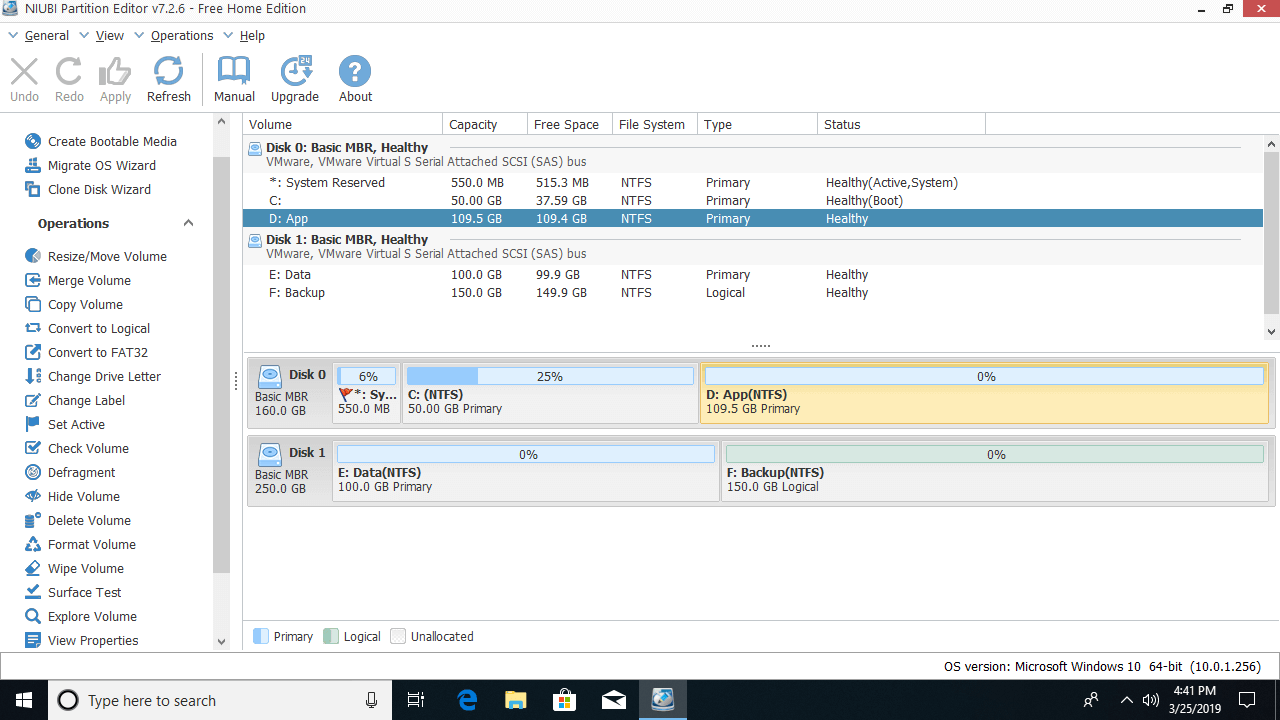
Download this free partition software, and you will see 4 blocks in the main window.
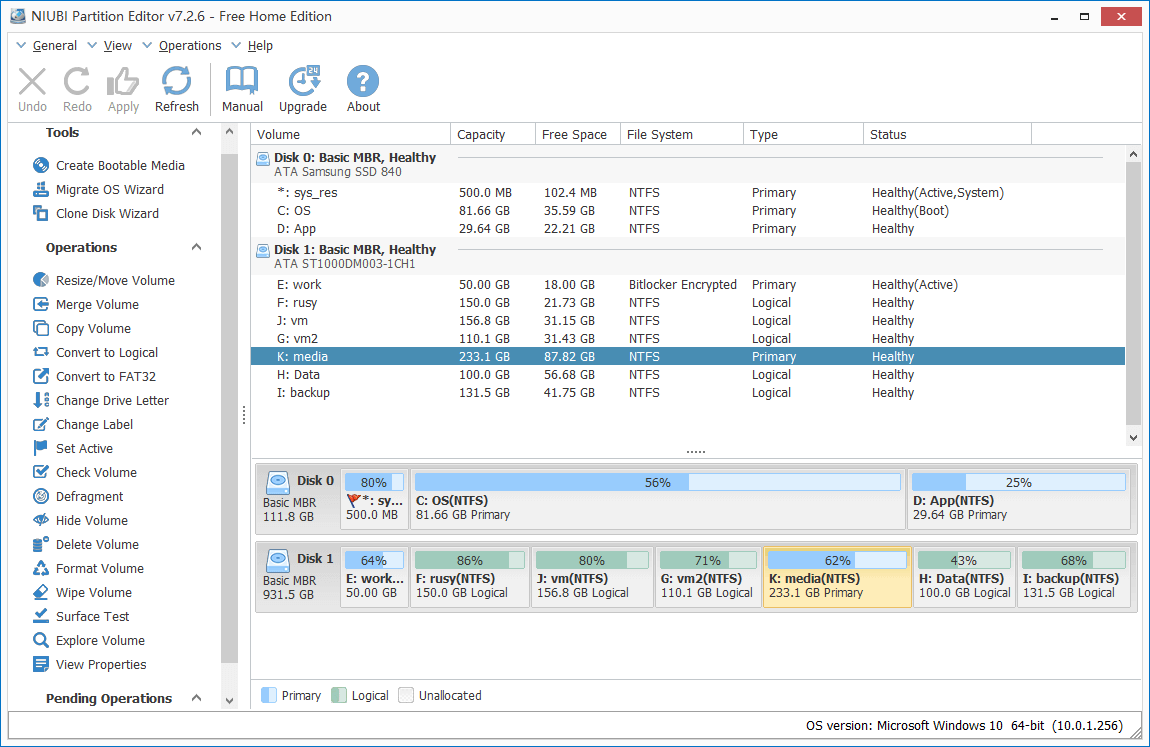
- Disk models and single partitions with their detailed parameters such as Capacity, Free Space, File System, and Type.
- All hard disks with partition structure.
- Available operations for the selected disk or partition; unavailable operations are hidden automatically.
- Refresh to load the newest disk partition info, undo to cancel pending operations, redo to repeat, or click Apply to modify the real disk partitions.
This free partition software is compatible with Windows 10, 8, 7, Vista, XP (32 & 64 bit). It supports all types of local and removable hard disks, all types of hardware RAID arrays, VMware/Hyper-V, and USB disks/cards.
To operate, you just need to click, drag, and drop in the pop-up windows. If you do not understand how to use it, simply click the link on the top menu bar to open the online manual.
What Does Partition Editor Free Do
For unallocated space:
- Create one or more volumes
- Wipe data
- Surface test (scan bad sectors)
- View properties (detailed parameters)
For an entire disk:
- Initialize
- Change status to offline or online
- Set read-only attribute
- Wipe disk (cannot be recovered)
- Surface test
- View properties
- Clone disk to migrate data and OS
- Convert MBR disk to GPT
- Delete all partitions
- Clean up disk
For a single partition:
- Resize volume (shrink and extend)
- Move location
- Merge two adjacent volumes in 1 step
- Copy to unallocated space
- Convert to Logical or Primary partition
- Convert NTFS to FAT32
- Change drive letter (such as D:)
- Change label (add a name or modify)
- Set as Active
- Check file system integrity
- Defrag to improve performance
- Hide from File Explorer
- Delete (files can be recovered)
- Format volume to use as new
- Wipe (erase data permanently)
- Surface test
- Explore (view files/folders with directory)
- View properties
Unique Features of Partition Editor Free
The GUI and functions of free partition software are similar, but better than other disk partition tools, including commercial versions, NIUBI Partition Editor Free is safer and faster because of some unique technologies, for example:
- 1-Second Rollback - Automatically reverts the disk partitions to their previous state instantly if it detects any error.
- Virtual Mode - Avoids incorrect operations by listing all as pending for preview; real disk partitions will not be changed until you click Apply to confirm.
- Cancel-at-Will - Cancels incorrect but executing operations safely at any point before completion.
- Hot-Resize - Shrinks and extends most partitions without rebooting the computer.
- Advanced file-moving algorithm - Resizes and moves partitions 30% to 300% faster.
When you change a disk partition, especially shrinking, moving, extending, and converting, all parameters of the disk, associated partitions, and files must be modified absolutely correctly. A slight error could cause system, partition, and data damage, so it is very important to back up and use reliable partitioning software.
Download Free Disk Partition Software
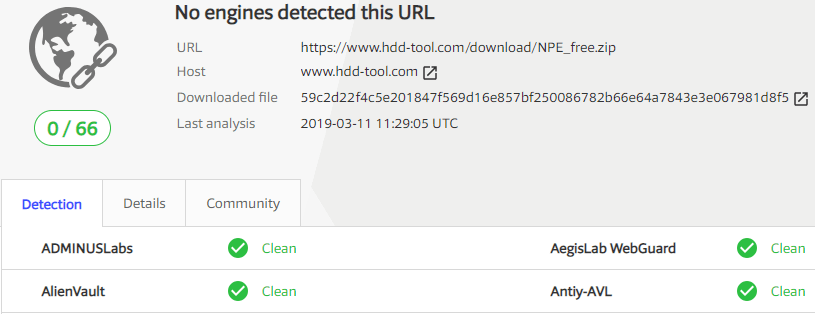
Nobody likes to see any risk in the downloaded setup file. Check with virustotal, the setup is 100% clean.
 © 2009 - NIUBI Technology All Rights Reserved. |